



Used by 10,000+ lifters with ★ 4.9 rating
Meet Gymbora
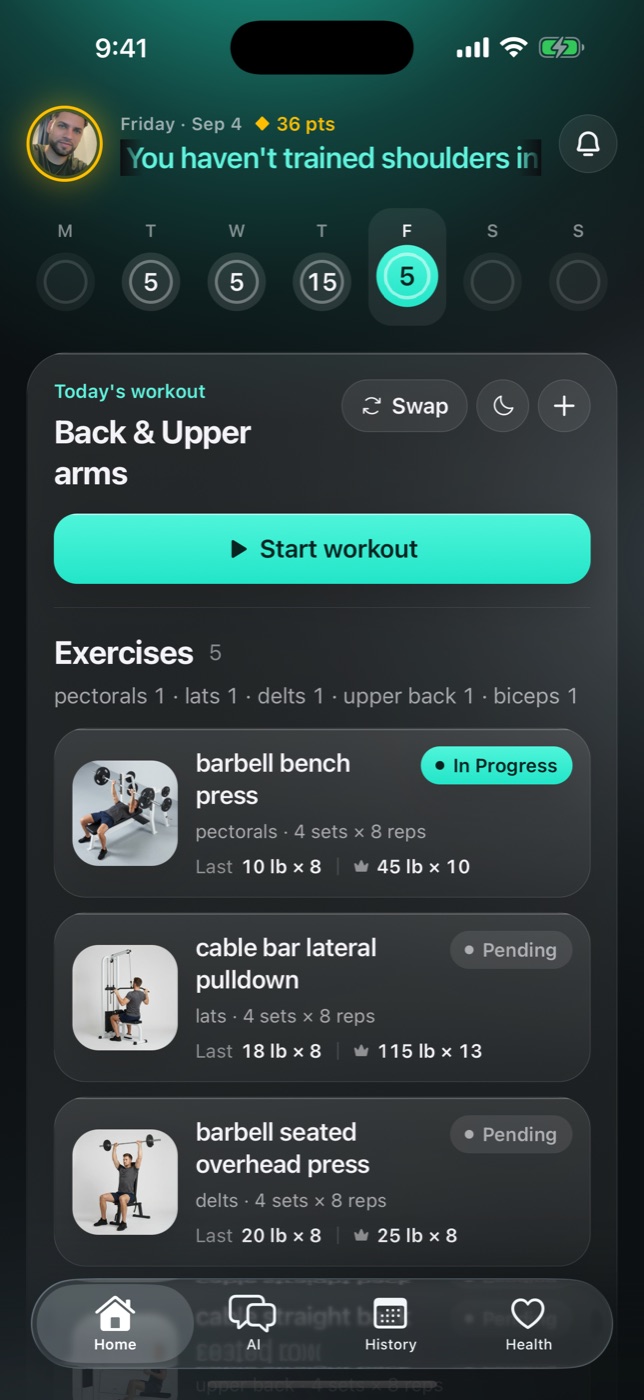
Train from a plan
built around your week
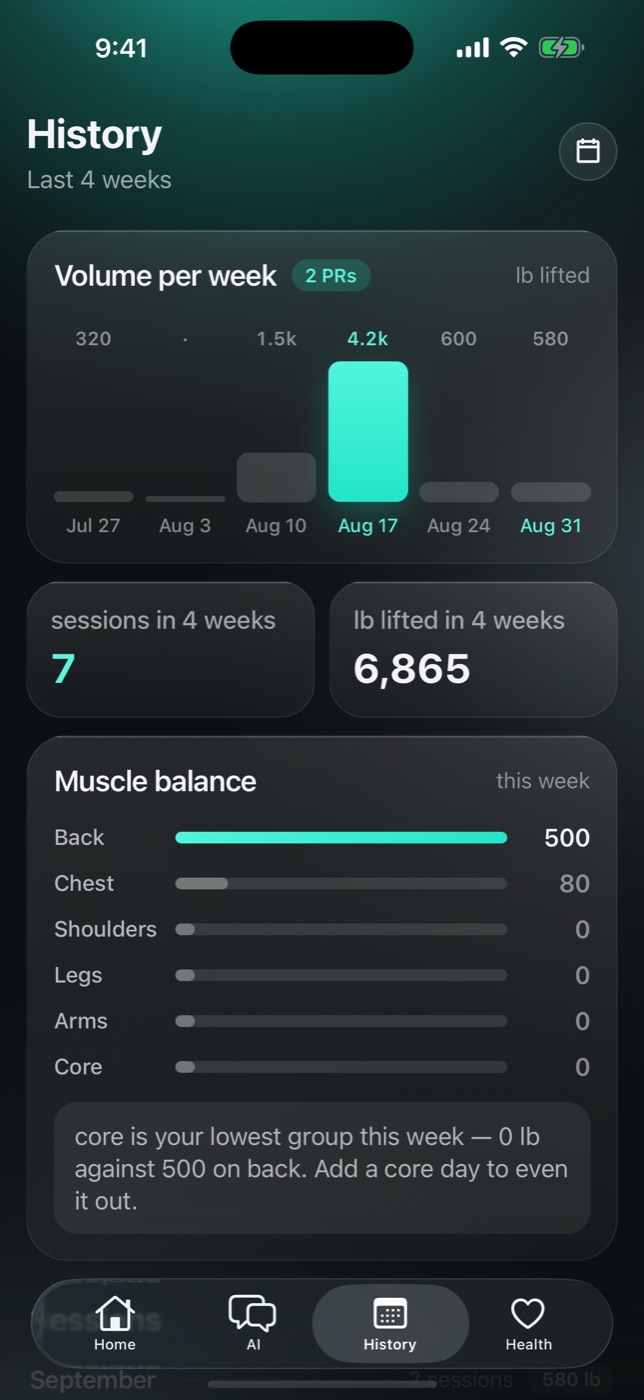
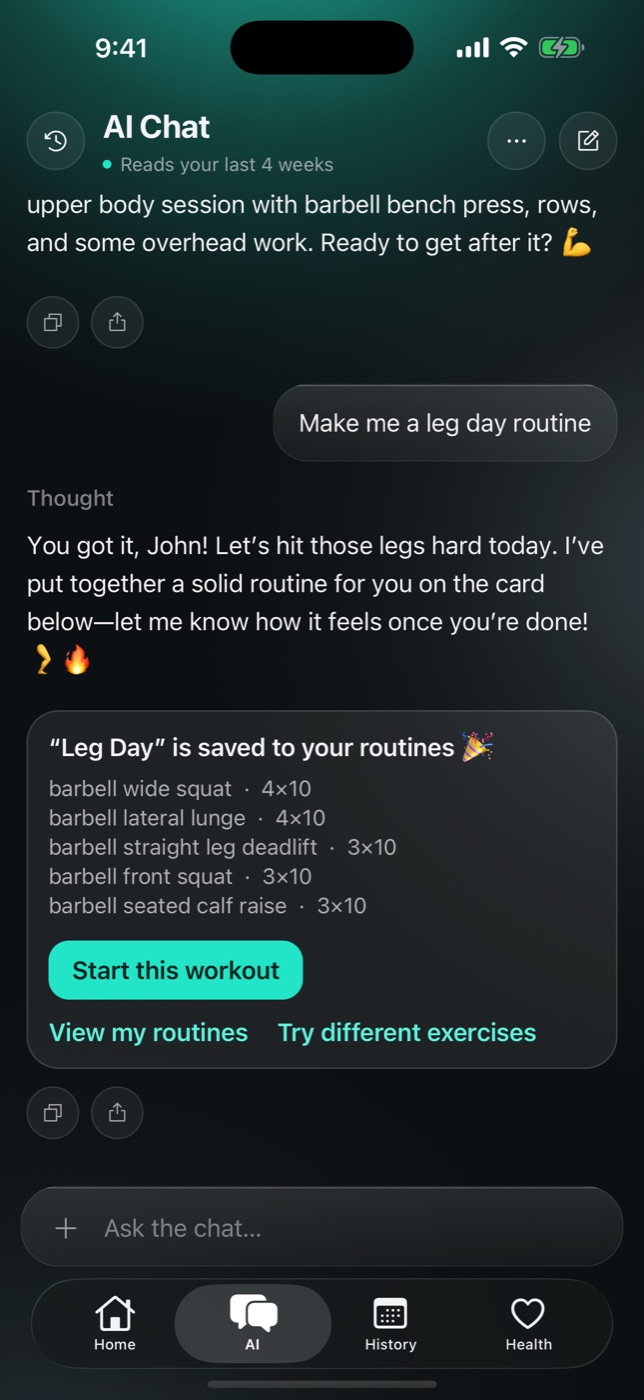
Answer five questions and Gymbora builds your training week. Log every set, ask your coach why a lift stalled, and watch twelve weeks of work turn into a line that goes up.


What's inside
What does Gymbora include?
800+ exercises with demos
Filtered by muscle group and equipment, so you can swap any lift for one your gym actually has.
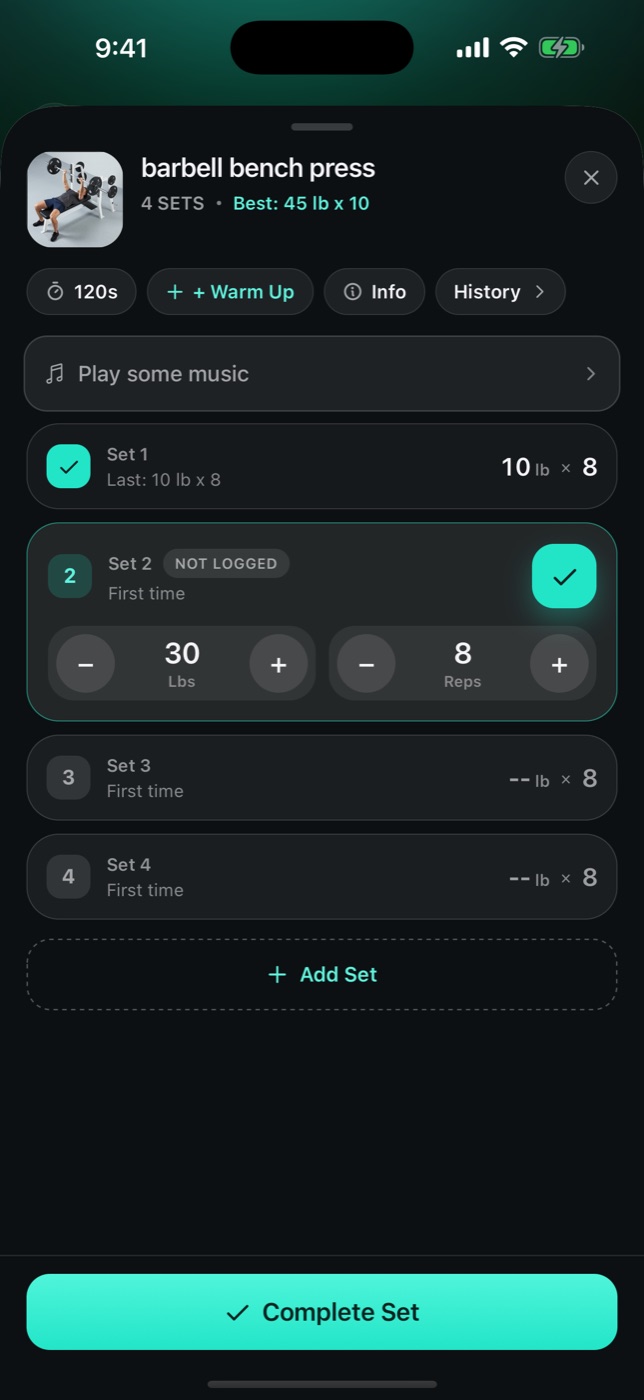
Set-by-set logging with a rest timer
Weight and reps, one tap each, with your last numbers already filled in.
Apple Watch app and home-screen widgets
Log sets from your wrist, and keep today's workout and this week's plan on the home screen without opening the app.
Weight, water, mood, steps and cardio
Each with its own history and goal. Steps and workouts sync with Apple Health on iPhone and Health Connect on Android.
Share cards from your real numbers
Volume, sets and top lifts, sized for Stories the moment you finish.
Why Gymbora
Why choose
Gymbora?
Because the plan, the log and the coach are the same app — nothing has to be re-entered anywhere.
A week that fits the one you have
Three days you keep beats five you don't. Pick a goal and a time, and the plan is built around them — no template to choose from.
A coach that has read your logs
Most fitness chatbots answer like a search engine. Gymbora's coach can see which sets you hit, which ones you grinded, and what stopped moving — then cites your own numbers back to you.
Proof that the work added up
Every lift gets its own history and best set. Twelve weeks in, the chart is the argument for showing up again.
Frequently asked questions
The questions support hears most.
Is Gymbora free? +
Your first five workouts are free — plan, logging, exercise library and coach included. To keep training after that you need Pro: a 7-day free trial, then $95.99 a year or $15.99 a month. Payment is taken by Apple or Google when the trial ends.
How do I cancel my subscription or free trial? +
It goes through the store, not the app. iPhone: Settings → your name → Subscriptions → Gymbora → Cancel. Android: Play Store → your profile → Payments & subscriptions → Subscriptions → Gymbora → Cancel. Cancelling stops the next renewal; it doesn't refund the current period.
Heads up: deleting the app does not cancel the subscription.
I paid but Pro is still locked. What now? +
1Open Settings → Subscription in Gymbora.
2Tap Restore purchase.
3Check you're signed into the Apple ID or Google account you bought with.
New phone or a second store account is usually the cause.
Can the coach be wrong? +
Yes. It reads your logged workouts, but it's a language model and can still produce answers that are inaccurate or unsuitable for you. Treat replies as a starting point, not instructions, and see the terms for the full picture.
My steps aren't showing up +
Open Health in Gymbora and tap Connect Apple Health. If you declined before, the switch lives in iOS Settings → Health → Data Access → Gymbora. On Android the same button connects Health Connect. Data can take a few minutes to sync.
Does it work offline? +
Logging works with no signal — basements included. The coach and syncing across devices need a connection.
 Gymbora
Training plans, logging and a coach that reads your numbers. Built for iPhone, Android and Apple Watch.
© 2026 Gymbora LLC. All rights reserved.